



How to Build Your First Data Analytics Project | How to Build a Data Analytics Project with Python or Excel
Step-by-step guide to building your first data analytics project using tools like Excel, SQL, and Python. Ideal for beginners and job seekers.
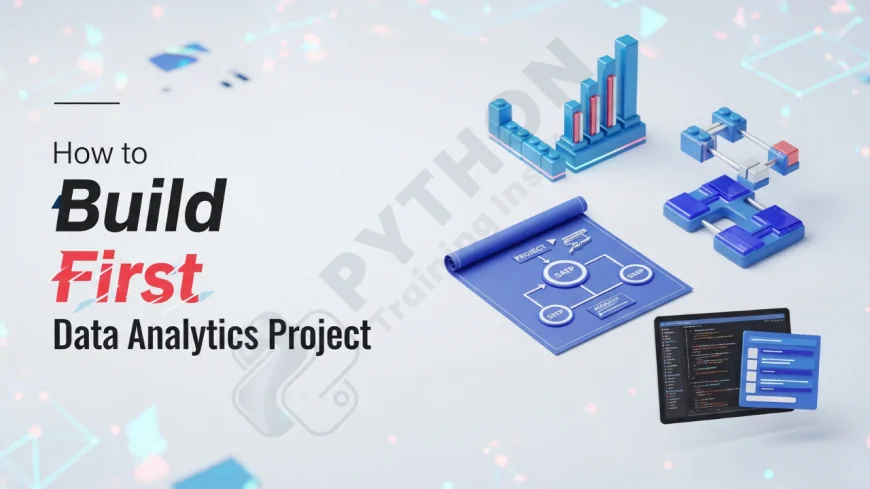
Table of Contents
- Introduction
- Why Start a Data Analytics Project?
- Data Analytics Project Lifecycle
- Step 1: Choose a Relevant Topic
- Step 2: Find a Reliable Data Source
- Step 3: Select Your Tools (Excel, SQL, Python, etc.)
- Step 4: Clean and Prepare the Data
- Step 5: Perform Exploratory Data Analysis (EDA)
- Step 6: Draw Insights and Build Visualizations
- Step 7: Present Your Findings
- Beginner-Friendly Project Ideas
- Common Mistakes to Avoid
- Adding the Project to Your Portfolio
- FAQs
- Conclusion
Introduction
Starting your first data analytics project can be both exciting and intimidating. Whether you're a student, job seeker, or upskilling professional, a well-done project can showcase your skills, problem-solving mindset, and data literacy to potential employers or mentors.
Why Start a Data Analytics Project?
- Demonstrates practical skills beyond theory
- Strengthens your resume or LinkedIn profile
- Shows initiative and creativity
- Helps master real-world data challenges
- Gives you talking points in interviews
Data Analytics Project Lifecycle
Every analytics project follows a general lifecycle:
- Define Objective
- Collect Data
- Clean and Process Data
- Analyze
- Visualize
- Communicate Findings
Step 1: Choose a Relevant Topic
Select a topic you're curious about. This can be anything from sports, finance, health, sales, marketing, or even public policy. The more relevant it is to your industry or interests, the more enjoyable and insightful it will be.
Step 2: Find a Reliable Data Source
Free datasets are available online:
Step 3: Select Your Tools
Choose tools based on your comfort and project complexity:
- Excel: Great for small, tabular data
- SQL: For querying large datasets
- Python: Ideal for automation, cleaning, EDA
- Tableau/Power BI: For dashboards and visualization
Step 4: Clean and Prepare the Data
This is a crucial phase. Remove duplicates, fill null values, normalize formats, and convert columns as needed. Tools like pandas (Python) or Power Query (Excel) make this easier.
Step 5: Perform Exploratory Data Analysis (EDA)
EDA helps you understand the patterns, outliers, distributions, and relationships in your data. Use charts and statistical summaries to explore.
Step 6: Draw Insights and Build Visualizations
Turn your observations into actionable insights. Use charts, graphs, or dashboards to support your findings. Tools like matplotlib, seaborn, or Tableau are powerful here.
Step 7: Present Your Findings
Document your work. You can write a report, prepare a slideshow, or post a blog on Medium or GitHub. Focus on clarity, logic, and storytelling.
Beginner-Friendly Project Ideas
- COVID-19 Data Analysis
- Stock Market Trend Analysis
- Airbnb Price Predictor
- Netflix Viewing Trend
- Sales Data Analysis for a Superstore
Common Mistakes to Avoid
- Skipping the data cleaning step
- Focusing too much on tools over insights
- Lack of a defined objective
- Poor visualization choices
- Not documenting your workflow
Adding the Project to Your Portfolio
Upload your project on GitHub, write a blog about it, or create a LinkedIn post showcasing your learnings. It shows initiative and makes your profile stand out.
FAQs
1. What is a data analytics project?
It is a structured activity involving real data to solve a business or analytical problem using tools like Excel, SQL, or Python.
2. How do I choose a topic for my first project?
Pick a topic that interests you or aligns with your career goals. Personal curiosity helps sustain motivation.
3. Do I need coding knowledge to build a project?
Not always. You can start with Excel or Google Sheets. Coding becomes essential for more advanced analysis.
4. How much time does a basic project take?
Anywhere from 10 to 30 hours depending on complexity, data availability, and your skill level.
5. What tools should beginners use?
Start with Excel or Google Sheets, then move to SQL and Python as you progress.
6. Where can I find free datasets?
Try Kaggle, Data.gov, UCI Machine Learning Repository, and World Bank Data.
7. How should I present my findings?
Use visuals and concise writing. You can make dashboards, PowerPoints, or blog posts.
8. Should I explain my process in the project?
Yes, documenting your process shows your thinking and makes it easier for others to follow your logic.
9. Can I use the same dataset as others?
Yes, but add your unique approach, visualizations, or insights to stand out.
10. How do I know if my project is good?
If it solves a problem clearly and communicates insights well, it’s effective—even if it’s simple.
11. How can I showcase this project?
Publish it on GitHub, Kaggle, Medium, or include it in your resume and LinkedIn portfolio.
12. Do recruiters care about personal projects?
Yes, especially if you’re a fresher or changing domains. Projects show initiative and applied learning.
13. How many projects should I build?
Start with 1–2 strong ones. Quality matters more than quantity.
14. Can I collaborate with someone?
Yes. Team projects can teach collaboration, Git workflows, and more professional skills.
15. What should I avoid in my first project?
Avoid trying to be overly complex or using tools you’re not familiar with. Start simple and improve over time.
16. How do I explain my project in an interview?
Use the STAR method: Situation, Task, Action, Result. Focus on your insights and decisions.
17. Is data cleaning really that important?
Yes! Dirty data leads to poor insights. Cleaning is usually 60–70% of the project time.
18. What’s a good beginner visualization tool?
Tableau Public, Power BI, and Google Data Studio are beginner-friendly and free.
19. How do I practice EDA?
Use open datasets and explore them using pandas (Python) or Excel pivot tables and charts.
20. Can I use ChatGPT or AI tools in my project?
Yes, responsibly. They can help you brainstorm ideas or write basic code, but ensure the logic is yours.
Conclusion
Building your first data analytics project is a milestone that opens the door to practical learning and career growth. With the right mindset, tools, and a clear roadmap, you can transform raw data into compelling stories. Start with curiosity, stay consistent, and share your work. Each project improves your analytical thinking, tool mastery, and professional confidence.
What's Your Reaction?
 Like
0
Like
0
 Dislike
0
Dislike
0
 Love
0
Love
0
 Funny
0
Funny
0
 Angry
0
Angry
0
 Sad
0
Sad
0
 Wow
0
Wow
0