
Preparing for Power BI Interviews for Analyst Jobs | Power BI Interview Checklist for Aspiring Analysts
Prepare for Power BI interviews with confidence. Learn key topics like DAX, Power Query, data modeling, real-world dashboards, and expert-level interview questions for data analyst roles.
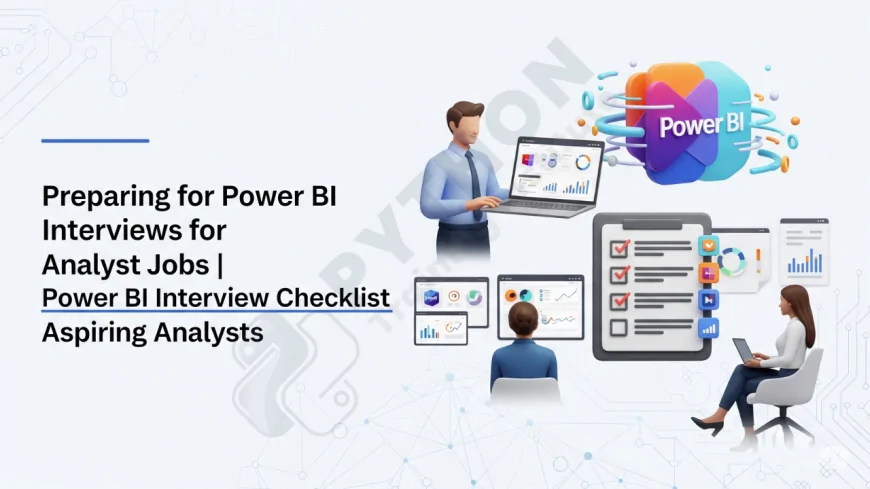
Table of Contents
- Introduction
- Power BI Overview
- Key Components: Desktop, Service & Gateway
- Data Sources & Connectivity Modes
- Data Modelling & Star Schema
- Power Query & Query Folding
- DAX: Measures vs Calculated Columns
- Performance Optimisation & Best Practices
- Row-Level Security & Workspaces
- Communication & Stakeholder Interaction
- Certifications & Career Readiness
- FAQs
- Conclusion
Introduction
If you're aiming for a data analyst role that relies on Power BI, proper preparation is crucial. Interviewers assess not only your technical know-how—from Power Query to DAX—but also how you align reporting with business needs and stakeholder engagement.
Power BI Overview
Power BI is a Microsoft business intelligence platform enabling users to transform, model, analyze, and visualize data effectively. It includes Power BI Desktop, Service, Mobile, and Gateway tools designed for enterprise and self-service analytics.
Key Components: Desktop, Service & Gateway
Power BI Desktop is the development environment for building reports; the Power BI Service allows sharing, scheduling and collaboration; and Power BI Gateway enables secure access to on-premises sources.
Data Sources & Connectivity Modes
Power BI supports Excel, databases, web APIs, Azure services, and more. Connectivity modes include Import, DirectQuery, Live Connection, and Composite/Hybrid modes for performance and real-time integration.
Data Modelling & Star Schema
Strong data modelling is a core skill. Understand one-to-many, many-to-many relationships, use of surrogate keys, and star schema design to deliver performant models and meaningful analytics.
Power Query & Query Folding
Power Query is Power BI’s ETL tool, enabling transformations via M language in a GUI environment. Query folding optimizes performance by offloading transformations back to the source systems whenever possible.
DAX: Measures vs Calculated Columns
DAX (Data Analysis Expressions) powers calculated columns, measures, and tables. Know when to use SUM vs SUMX, CALCULATE, FILTER, and how filter context affects aggregation.
Performance Optimisation & Best Practices
Interviewers often test your ability to optimize: keep fact tables narrow, disable unused tables, avoid heavy calculated columns, and prefer measures over columns when possible. Use star schema design and limit visuals per page for better rendering.
Row-Level Security & Workspaces
Future-proof dashboards by implementing row-level security (RLS) to restrict data per user role. Understand Power BI workspace access management, app deployment, and version controls for collaboration.
Communication & Stakeholder Interaction
Strong analysts frame solutions in terms of stakeholder needs: gather requirements, translate business questions into dashboards, and present actionable insights—not just charts. Demonstrate ability to discuss not just metrics but decisions enabled by reporting.
Certifications & Career Readiness
PL-300 (Microsoft Power BI Data Analyst certification) and DP-600 (Fabric Analytics Engineer) validate both technical and analytical readiness for interviewers and employers alike.
FAQs –
1. What is Power BI used for?
It’s used for data connection, transformation, modeling, and creating interactive dashboards for analysis and decision-making.
2. What are the main Power BI components?
Power BI Desktop, Service, Mobile, Gateway, Report Server, Dataflow and Datamart.
3. What connectivity modes does Power BI support?
Import, DirectQuery, Live Connection, and Composite/Hybrid modes.
4. What is data modelling in Power BI?
Designing and maintaining useful relationships between dimension and fact tables using schemas like star schema.
5. Why is Power Query important?
It allows ETL operations, data transformation, and preparing data efficiently before modeling.
6. What is query folding?
It pushes transformation logic back to source systems for efficiency and better performance..
7. Difference between calculated column and measure?
Calculated columns are fixed at data refresh; measures are dynamic calculations performed during report rendering.
8. Which DAX functions should I know?
SUM, SUMX, CALCULATE, FILTER, VALUES, USERELATIONSHIP, ALL for context contro.
9. How do you optimize Power BI performance?
Use star schema, minimize calculated columns, limit visuals per page, disable unused tables, and leverage import mode when possible.
10. What is row-level security (RLS)?
A method to restrict data access per user based on roles, enhancing privacy and segmentation.
11. What is the difference between Power BI report and dashboard?
Reports have multiple pages and visuals; dashboards are single-page aggregates of tiles from multiple reports.
12. What are slicers and filters?
Slicers are interactive visuals for filtering; filters can be at visual, page, or report level or via drill-through or URL filters.
13. How do you refresh data in Power BI?
Manual refresh in Desktop, scheduled refresh in Service, DirectQuery updates live, and incremental refresh for large datasets.
14. What is a custom visual?
A third-party or community-created visual that can be imported to enrich report design beyond built-in visuals.
15. What is Q&A in Power BI?
A natural language interface where users can type questions and get visual answers directly.
16. Why should analysts use PL-300 & DP-600?
Because those certifications validate Power BI and Fabric expertise often requested in interviews.
17. Can you explain a deployment strategy?
Use version control, deployment pipelines, workspace permissions, and file versioning to ensure collaboration and reliability.
18. How should I showcase dashboards to interviewers?
Bring printed dashboards (with mock data), explain insights beyond visuals, and tie results to business decisions.
19. What soft skills matter most?
Stakeholder communication, requirement gathering, narrative storytelling, and translating data into actionable business insights.
20. Should I learn SQL or Python too?
Yes—SQL helps connect modern data sources; Python/R and ETL skills add depth to analysis beyond Power BI alone.
Conclusion
Passing a Power BI interview as a data analyst requires balanced preparation: technical mastery of modeling, Power Query, DAX, and performance tuning, along with strong communication that links dashboards to business value. Showcasing real-world projects—ideally published or printed—and conveying insight-driven narratives will set you apart.
What's Your Reaction?
 Like
0
Like
0
 Dislike
0
Dislike
0
 Love
0
Love
0
 Funny
0
Funny
0
 Angry
0
Angry
0
 Sad
0
Sad
0
 Wow
0
Wow
0