
How to Build a Winning Data Analytics Resume | How to Write an Impressive Data Analytics Resume
Learn how to build a winning data analytics resume with expert tips, real examples, keywords, and formatting strategies to help you stand out and land your next job in analytics.
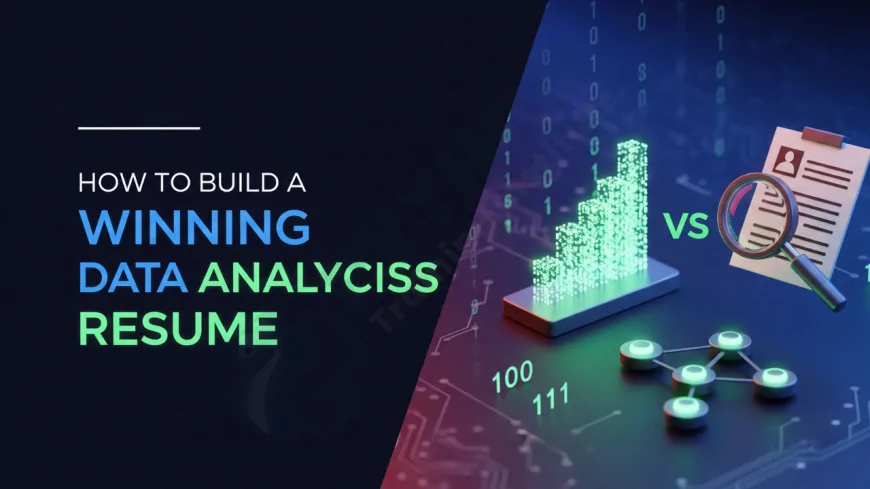
Table of Contents
- Why Your Resume Matters in Data Analytics
- Key Components of a Data Analytics Resume
- Choosing the Right Resume Format
- Customizing Your Resume for Each Job
- Using Power Words and Quantified Achievements
- Technical Skills to Highlight
- Project Highlights for Analysts
- Certifications that Add Value
- Common Resume Mistakes to Avoid
- Sample Resume Structure
- Resume Tips for Freshers vs. Experienced Analysts
- Optimizing Resume for ATS (Applicant Tracking Systems)
- High-Impact Keywords for Data Analytics Resumes
- Resume vs LinkedIn – What’s the Difference?
- Adding a Portfolio or GitHub to Your Resume
- Do You Still Need a Cover Letter?
- Writing a Powerful Career Objective or Summary
- Should You Use a Visual Resume?
- Final Resume Review Checklist
-
Frequently Asked Questions (FAQs)
- Conclusion
Why Your Resume Matters in Data Analytics
It’s your resume that sets the tone for your interaction with potential employers. In the competitive field of data analytics, your resume must showcase your ability to solve business problems using data, highlight your technical acumen, and present measurable achievements clearly. A great resume can open doors to interviews at top firms, even without direct referrals.
Key Components of a Data Analytics Resume
- Contact Information: Name, phone, email, LinkedIn, GitHub (if applicable)
- Professional Summary: 2–3 lines summarizing your analytics capabilities
- Skills: Highlight technical and soft skills
- Work Experience: Use bullet points with outcomes and metrics
- Projects: Especially for freshers or career changers
- Certifications: Add credibility to your technical knowledge
- Education: List degrees, programs, or bootcamps
Choosing the Right Resume Format
Use a format that highlights your strengths at this point in your career.
- Chronological (best for experienced professionals)
- Functional (ideal for career changers)
- Hybrid Format – Effectively balances your technical skills with professional history.
Customizing Your Resume for Each Job
Use the job description as your checklist. Match keywords and required skills. Highlight relevant tools such as SQL, Power BI, Python, Tableau, Excel, or R that align with the job.
Using Power Words and Quantified Achievements
Start bullet points with strong action verbs like “analyzed,” “automated,” “optimized,” or “visualized.” Quantify results wherever possible:
Example: “Automated monthly reports using Python and Excel, reducing reporting time by 40%.”
Technical Skills to Highlight
- Excel (advanced)
- SQL (joins, aggregations, subqueries)
- Python or R (for data wrangling, visualization, modeling)
- Data visualization tools: Tableau, Power BI
- Statistical knowledge and hypothesis testing
Project Highlights for Analysts
Projects showcase real-world application. Use the STAR method (Situation, Task, Action, Result) to describe them. Mention tools, datasets, business problems, and outcomes.
Certifications that Add Value
- Google Data Analytics Professional Certificate
- IBM Data Analyst Certificate
- Microsoft Certified: Data Analyst Associate
- Tableau Desktop Specialist
Common Resume Mistakes to Avoid
- Generic summaries like “Hardworking analyst”
- Too much jargon
- No numbers to prove impact
- Typos or inconsistent formatting
Sample Resume Structure
John Doe | +91-XXXXXXX | [email protected] | LinkedIn | GitHub

Professional Summary:
Data Analyst with 3+ years of experience in transforming business data into insights using Python, SQL, and Tableau.

Skills: SQL, Excel, Python, Tableau, Data Wrangling, A/B Testing

Work Experience:
Data Analyst, ABC Corp (2022–2024)
- Created dashboards in Tableau to monitor sales KPIs, improving visibility by 60%
- Automated reporting in Excel, saving 10+ hours/month

Education:
BSc in Statistics – Pune University

Certifications:
Google Data Analytics Professional Certificate
Resume Tips for Freshers vs. Experienced Analysts
- Freshers: Focus on certifications, academic projects, and internship experience
- Experienced: Emphasize business impact, leadership, and automation work
Optimizing Resume for ATS (Applicant Tracking Systems)
Use exact keywords from the job description. Avoid text in images or charts. Use standard fonts and layout. Save in PDF unless specified otherwise.
High-Impact Keywords for Data Analytics Resumes
Include terms like:
- Data cleaning
- Exploratory data analysis (EDA)
- KPI reporting
- Data storytelling
- ETL pipelines
Resume vs LinkedIn – What’s the Difference?
While your resume is tailored for each job, LinkedIn is a public profile. It should showcase your best work, endorsements, and recommendations.
Adding a Portfolio or GitHub to Your Resume
Include links to your dashboards, Jupyter Notebooks, or GitHub repositories to provide evidence of your work. Recruiters love seeing hands-on proof.
Do You Still Need a Cover Letter?
Yes, especially for senior roles or applications through email. A cover letter helps narrate your story and personalize your interest in the company.
Writing a Powerful Career Objective or Summary
Use this to align your career goals with the company’s vision. Highlight your years of experience, main tools, and key outcomes in two concise lines.
Should You Use a Visual Resume?
Use visual resumes cautiously. Design-heavy resumes might impress in creative fields, but data professionals should stick to clean formats optimized for applicant tracking systems.
Final Resume Review Checklist
- Is your resume customized to the job?
- Are skills and achievements measurable?
- Are all contact links clickable?
- Did you proofread for grammar and typos?
- Does it fit in one page (for freshers) or max two?
Frequently Asked Questions (FAQs)
Q1: Should I include GPA in my data analytics resume?
A: Include your GPA only if it is above 3.5 or if the employer specifically asks for it.
Q2: How long should a data analyst resume be?
A: For freshers, keep it to one page. For experienced professionals, two pages is acceptable.
Q3: Do I need to list every tool I've learned?
A: No, only include tools you're confident using and relevant to the job description.
Q4: What should I do if I don’t have any work experience?
A: Highlight academic projects, certifications, internships, and personal analytics projects.
Q5: Can I use online resume builders like Canva?
A: Yes, but ensure the final resume is ATS-friendly and uses clean fonts with minimal graphics.
Q6: Should I link dashboards or GitHub in my resume?
A: Absolutely! Adding links to dashboards or repositories enhances credibility and shows proof of work.
Q7: Should I use a summary or an objective?
A: Use a professional summary if you have experience. Freshers can include a career objective.
Q8: How many projects should I list?
A: Ideally 2–3 impactful projects that demonstrate your technical and analytical skills.
Q9: Is it okay to include a photo on my resume?
A: No, especially if you're applying internationally. Photos can interfere with ATS and may cause bias.
Q10: What are common red flags on a resume?
A: Gaps without explanation, spelling errors, vague descriptions, or overused buzzwords like "team player."
Q11: Can freshers apply for data analyst jobs?
A: Yes, if they have strong projects, certifications, and a tailored resume aligned with the role.
Q12: Should I include soft skills in the resume?
A: Yes, but demonstrate them through achievements (e.g., “presented insights to cross-functional teams”).
Q13: What font and size should I use?
A: Use professional fonts like Arial, Calibri, or Helvetica in 10–12 pt size for readability.
Q14: How should I save and send my resume?
A: Save as a PDF unless the employer requests another format. Ensure links are clickable.
Q15: How do I add freelance or contract work?
A: List it clearly with “Freelance Analyst” and describe the projects with impact and tools used.
Q16: Is Excel still relevant on analytics resumes?
A: Yes, Excel is a fundamental tool and is still widely used in many analytics roles.
Q17: What layout is best for data analytics resumes?
A: Use reverse chronological order with clear section headers and consistent formatting throughout.
Q18: Should I mention personal interests or hobbies?
A: Only if they showcase relevant skills, leadership, or passion for analytics (e.g., writing a data blog).
Q19: Should I tailor my resume for each job?
A: Yes, always customize your resume based on the job role, responsibilities, and required skills.
Q20: Can I mention ChatGPT or AI tools in my resume?
A: Yes, if you’ve used them meaningfully in your analytics projects, workflows, or automation tasks.
Conclusion
Crafting a strong data analytics resume isn't about listing everything you’ve done — it’s about telling the right story that matches the job. By customizing your resume, quantifying your work, and keeping it clean and readable, you increase your chances of landing interviews and advancing your data career. With data being the currency of the future, your resume should reflect your ability to analyze, interpret, and drive insights — starting with your own profile.
What's Your Reaction?
 Like
0
Like
0
 Dislike
0
Dislike
0
 Love
0
Love
0
 Funny
0
Funny
0
 Angry
0
Angry
0
 Sad
0
Sad
0
 Wow
0
Wow
0